5 Essential Apps for Your First Trip Beyond Seoul
“The digital toolkit for navigating regional Korea.”
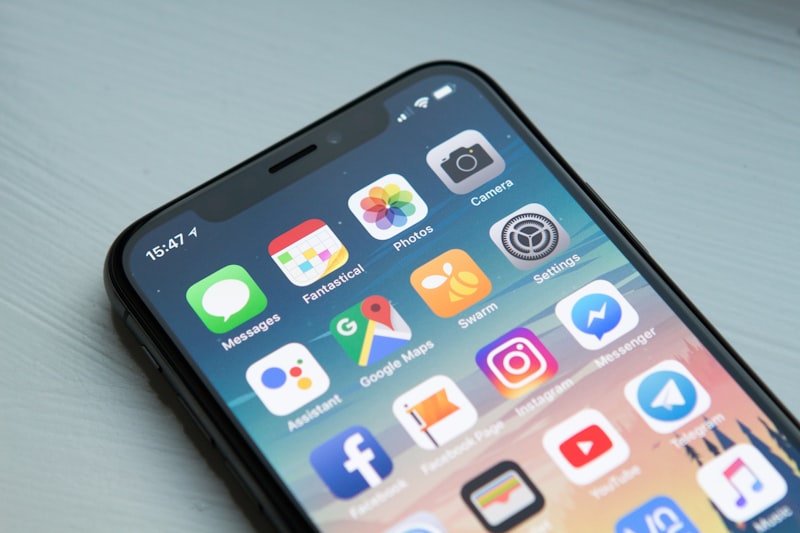
Digital Survival: The Essential App Kit for Korea
Google Maps does not work reliably in Korea, and it is not a data quality issue you can route around. South Korean law restricts the export of detailed mapping data for national security reasons, so Google Maps cannot show accurate walking directions, real-time bus arrivals, or subway transfers anywhere in the country. Standard global apps simply do not have access to the information that local navigation depends on, and the gap shows up immediately the moment you try to walk from a subway exit to your hotel.
This means your phone needs a different toolkit before you land, not after. Arriving without these apps installed and ready usually means standing outside Incheon Airport trying to set up accounts on slow public wifi while a taxi line builds behind you. The five apps below cover navigation, taxis, translation, local communication, and restaurant bookings — and none of them work without a data connection, which is why getting connected comes first, before any app on this list.
Naver Map: The Navigation App That Actually Works
Naver Map is the default for walking, driving, and transit directions in Korea, and the gap with Google Maps is not small. It shows real-time bus locations on the map before they arrive, gives subway transfer directions down to the exact platform and exit number, and supports English, Chinese, and Japanese interfaces. Search in English and it will return Korean business names correctly, which matters when you need to show a destination to a taxi driver or a passerby.
Korean addresses are also organized differently than most visitors expect — by exit number and landmark proximity rather than a simple street grid — and Naver Map is built around that system. A destination listed as "Exit 3, 200m" is a normal way to find a place here, and the app calculates walking routes accordingly rather than dropping you at an approximate pin.
Set it up before you leave home: download the app, create an account, and bookmark your hotel address in Korean characters. The full walkthrough — including how to search, save favorites, and read the bus arrival countdown — is covered in the guide to using Naver Map in English.
Kakao T: Taxis Without Speaking Korean
Kakao T is Korea’s dominant taxi-hailing app, and it solves the two biggest friction points of hailing a cab here: explaining your destination out loud and paying in cash. You enter your destination in the app, see an estimated fare before you confirm, and pay automatically through a saved card — no conversation required at pickup or drop-off.
Registration needs a Korean-format phone number, which your eSIM or local SIM provides once activated, so this is one more reason to handle connectivity first. Base fares in Seoul start around ₩4,800 for the first 1.6km, with a surcharge after midnight that can add 20% or more to the fare. Kakao T also covers most regional cities, not just Seoul, and in smaller towns where buses stop running early in the evening, it is often the only reliable way to get back to your accommodation. The regional transit guide covers how it fits alongside KTX and express buses for getting between cities once you arrive.
Papago: Real-Time Translation for Menus and Signs
Naver’s Papago outperforms Google Translate specifically for Korean, and the difference shows up most in its image translation mode. Point your camera at a restaurant menu, a sign, or a product label, and Papago overlays the translation directly on the image in real time — no typing, no guessing at romanization. Voice translation works well for short, simple exchanges, like asking for directions or confirming an order, though it struggles with longer or more casual conversation the way any translation app does.
Download the Korean language pack before you travel so the camera and voice features work without a data connection, which matters in subway stations and other low-signal areas underground. Papago is the app that makes ordering food at a counter or stall possible without speaking Korean — the kind of situation covered throughout the Korean Street Food Guide, where most vendors do not have English menus.
KakaoTalk: The App Local Businesses Actually Use
Planning a trip to Korea?
Answer a few quick questions and get a personalized day-by-day itinerary — cities, food, and transit included.
Build My Korea Plan →KakaoTalk is Korea’s dominant messaging app, and for visitors it matters less as a way to chat with friends and more as the channel many guesthouses, tour operators, and restaurants use to confirm bookings. A surprising number of reservation confirmations, check-in instructions, and last-minute changes happen over KakaoTalk rather than email or SMS, simply because that is the default communication tool for Korean businesses.
Set it up with the same phone number as your other apps and keep notifications on during your trip. Some guesthouses and small tour operators will ask for your KakaoTalk ID directly on their booking confirmation, expecting you to add them rather than reply by email. It costs nothing to install and takes about five minutes to set up, but skipping it means missing messages from places you have already paid to book.
Catchtable Global: Booking Restaurants Without a Korean Phone Number
Catchtable Global is built specifically for foreign tourists, letting you sign up with an email, Apple, or Google account instead of a Korean phone number. It covers more than 12,000 restaurants with English, Japanese, and Chinese support, including Michelin-listed restaurants that are otherwise difficult to book as a visitor without a local contact.
Most casual restaurants and street food spots in Korea do not require reservations, but popular and fine-dining restaurants often do, and some require a deposit or charge a no-show fee for cancellations made too close to the reservation time. Catchtable is the most reliable way to secure a table without a Korean number, and it shows cancellation policies upfront before you confirm. Every reservation platform that works for foreigners, along with which restaurants actually require booking, is covered in the guide to booking restaurants in Korea as a foreigner.
Before Any App Works: Get Connected
None of these five apps function without a data connection, and Kakao T and KakaoTalk specifically require a Korean-format phone number to register before you can use them at all. An eSIM solves both problems at once: you arrive at Incheon Airport with an active connection already running, and most providers issue a Korean number alongside the data plan, so registration for every app above works the moment you land.
A standard 10GB plan for 30 days runs approximately ₩25,000–35,000 (around $18–25 USD), and setup takes about ten minutes before you board your flight — install the eSIM profile over wifi at home, then activate it after landing. For travelers who want an official Korean carrier plan with a Korean number included — required for Kakao T and KakaoTalk registration — SK Telecom eSIM is also available through Klook. If your phone does not support eSIM, or you are staying more than 30 days and want a physical local number, SK Telecom and KT counters in the Incheon Airport arrivals hall sell physical SIM cards on arrival, though that means a counter line your eSIM lets you skip entirely. The Incheon Airport to Seoul guide covers both options in detail alongside the rest of the airport arrival sequence.
For a full pre-departure checklist — eSIM, K-ETA, banking notifications, and everything else worth confirming before you fly — the Korea trip checklist walks through the order to handle it all so nothing gets missed in the days before departure.
Five apps and one data connection are the entire difference between navigating Korea with confidence and standing on a street corner trying to read a map that does not match what is actually in front of you. Install them before you go, and the rest of the trip runs on autopilot.
Frequently Asked Questions
What apps do I need to travel in Korea?
Naver Map for navigation, Kakao T for taxis, Papago for translation, KakaoTalk for messaging with local businesses, and Catchtable Global for restaurant reservations cover almost everything a foreign visitor needs.
Why doesn't Google Maps work well in Korea?
South Korean law restricts the export of detailed mapping data for national security reasons, so Google Maps lacks accurate walking directions, real-time bus arrivals, and subway transfer data in Korea.
Do I need a Korean phone number to use Kakao T?
Yes. Kakao T requires a Korean-format phone number to register, which an eSIM or local SIM card provides once activated.
What is the best translation app for Korea?
Papago, made by Naver, outperforms Google Translate for Korean, especially with its image translation mode for reading menus and signs in real time.
Should I buy an eSIM before arriving in Korea?
Yes. An eSIM activates before you land, often includes a Korean phone number needed for apps like Kakao T, and costs around $18-25 USD for a 10GB, 30-day plan.
Make a plan that fits your trip
This guide gives one version. Get one built around your own dates, budget, and interests — with Korean place names you can paste straight into Naver Map.
Build My Korea Plan →